SafelySDS
SafelySDS is a web-based application built to help businesses store, manage, and access Safety Data Sheets (SDS) in a secure and organized manner.
%22%20stop-opacity%3D%220%22%20%2F%3E%0A%20%20%20%20%20%20%3Cstop%20offset%3D%2234%25%22%20stop-color%3D%22rgb(255%2C%20255%2C%20255)%22%20stop-opacity%3D%220.7%22%20%2F%3E%0A%20%20%20%20%20%20%3Cstop%20offset%3D%2252%25%22%20stop-color%3D%22rgb(255%2C%20255%2C%20255)%22%20stop-opacity%3D%221%22%20%2F%3E%0A%20%20%20%20%20%20%3Cstop%20offset%3D%2272%25%22%20stop-color%3D%22rgb(255%2C%20255%2C%20255)%22%20stop-opacity%3D%220.5%22%20%2F%3E%0A%20%20%20%20%20%20%3Cstop%20offset%3D%22100%25%22%20stop-color%3D%22rgb(255%2C%20255%2C%20255)%22%20stop-opacity%3D%220%22%20%2F%3E%0A%20%20%20%20%3C%2FlinearGradient%3E%0A%20%20%20%20%3ClinearGradient%20id%3D%22waveSoft%22%20x1%3D%2210%25%22%20y1%3D%2295%25%22%20x2%3D%2295%25%22%20y2%3D%225%25%22%3E%0A%20%20%20%20%20%20%3Cstop%20offset%3D%220%25%22%20stop-color%3D%22rgb(94%2C%2023%2C%20235)%22%20stop-opacity%3D%220.15%22%20%2F%3E%0A%20%20%20%20%20%20%3Cstop%20offset%3D%2250%25%22%20stop-color%3D%22rgb(94%2C%2023%2C%20235)%22%20stop-opacity%3D%220%22%20%2F%3E%0A%20%20%20%20%20%20%3Cstop%20offset%3D%22100%25%22%20stop-color%3D%22rgb(94%2C%2023%2C%20235)%22%20stop-opacity%3D%220.1%22%20%2F%3E%0A%20%20%20%20%3C%2FlinearGradient%3E%0A%20%20%3C%2Fdefs%3E%0A%20%20%3Crect%20width%3D%221200%22%20height%3D%22675%22%20fill%3D%22rgb(94%2C%2023%2C%20235)%22%20%2F%3E%0A%20%20%3Crect%20width%3D%221200%22%20height%3D%22675%22%20fill%3D%22url(%23wave)%22%20%2F%3E%0A%20%20%3Crect%20width%3D%221200%22%20height%3D%22675%22%20fill%3D%22url(%23waveSoft)%22%20%2F%3E%0A%3C%2Fsvg%3E)
SafelySDS Project Outline
SafelySDS is a web based platform built to fix a major safety gap in industrial workplaces. It moves critical safety data out of dusty paper binders and puts it directly into the hands of the people on the floor through a fast, mobile friendly digital system.
What started as a passion project eventually turned into a professional solution designed for live production at Imaflex USA.
Note on Access: SafelySDS is currently in live production, so the source code and the internal facility website are private. However, a demo version using local browser storage is currently in development. Once finished, a Demo button will appear on this page so you can explore the interface and features yourself.
Why SafelySDS was Created
The project started at Imaflex USA out of necessity. At the time, the facility was relying on an old paper binder stored in one central spot to hold every SDS. The second half of that system was a basic Excel sheet used to track chemical inventory. While this was technically enough to stay OSHA compliant and keep things legal, it was far from a perfect system.
By spending time with the Safety Coordinator, several "red flags" were identified that made the old way feel outdated and risky:
- It was too slow: In an emergency, every second counts. Nobody has time to flip through hundreds of paper pages to find a life saving instruction.
- It was a "single point of failure": The system lived and died by one Excel sheet. If the person in charge of that file was out, the inventory data was basically trapped.
- It was geographically stuck: Because the binder lived in one central location, an employee across the warehouse would have to stop what they were doing and walk across the building just to see what gloves or PPE they needed for a specific chemical.
To solve this, SafelySDS was designed from the ground up to be accessible, fast, and collaborative—moving the facility beyond just "being compliant" and actually making safety part of the daily workflow.
The Problems & Solutions
Instead of just making a digital list, the new design directly fixed the day to day issues found at the facility:
1. Information Latency & Database Performance
- The Problem: There was no automated way to track when a manufacturer updated a safety sheet. The facility was essentially just hoping the info in the binder was still current.
- The Solution: A high performance database with optimized filtering was developed. Instead of wondering if data is current, the system allows for instant searches and clearly flags when a record was last verified.
2. Emergency Response & The "First Aid Only" View
- The Problem: Standard safety sheets are full of technical jargon that is hard to read during a panic.
- The Solution: A bright Emergency Banner stays at the top of every page. One click brings up a simplified view that only shows first aid steps and local emergency phone numbers, stripping away all the extra noise.
3. Physical Bottlenecks & Multi Channel Access
- The Problem: Access was restricted to a single physical location. If a spill happened across the plant, an employee had to walk all the way back to the main office just to find the right protocols.
- The Solution: The app was made accessible everywhere. By placing QR codes at workstations, setting up floor tablets, and putting the link on all company computers, the safety data follows the employee to the job site.
4. Single Point of Failure & Admin Collaboration
- The Problem: The whole system relied on one person's knowledge and one single Excel file. If that person was unavailable, the data was basically frozen.
- The Solution: A secure login system was built so multiple department heads can manage the data together. This keeps the information live and prevents one person from being a bottleneck.
5. Verification Gaps & The "Quick Create" Workflow
- The Problem: When new chemicals arrived, there was no easy way to check if they were already documented, leading to duplicate work and "mystery" bottles entering the facility.
- The Solution: A "Quick Create" feature was added. An employee can just type a name, and the app instantly checks the database to see if it is already there or if it needs a new entry, preventing duplicates before they hit the shelf.
6. Zone Visibility & "Batch" QR Tags
- The Problem: It was impossible to know exactly what chemicals were in a specific area—like a cabinet, shelf, or storage zone—without physically digging through the contents.
- The Solution: A "Batching" feature was created to group chemicals by their specific location. The system generates a printable tag for that zone that includes a QR code and required hazard info labels. When an employee scans that one tag, they see a full list of every chemical and hazard in that specific area.
7. Tracking Deficiencies & Location Tagging
- The Problem: The lack of a digital tracking system made it difficult to pinpoint exactly where a chemical was located in the building, leading to disorganized inventory.
- The Solution: A dedicated location field was added to every chemical profile. This ensures the exact physical home of any material is visible on its digital page, making it easy to locate anything in the building at a glance.
Overcoming Challenges & Technical Hurdles
Building the app was only half the battle. Making it work in a real world factory required solving some tough technical hurdles.
| Challenge | Solution |
|---|---|
| Messy Data | Moving hundreds of disorganized paper records into a clean database. This required building strict validation rules so no data was lost or mixed up during the move. |
| User Adoption | Making the app easy for everyone to use, regardless of tech skills. The interface was kept high contrast and very simple so it works even in high stress moments. |
| Search Logic | Handling typos or different names for the same chemical. A "fuzzy search" was implemented so the app finds the right sheet even if the user misspells a word. |
Post-Design Evolution: Using AI to Solve New Problems
After the new system was live, a new problem appeared: Data Entry. Typing in every detail from a 10 page PDF into a database is slow and boring.
-
The AI Solution: To fix this, an "AI Data Extraction" tool was integrated into the editor. Now, when a user uploads a PDF, the AI scans the document, grabs the first aid measures and hazard info, and automatically fills out the forms. This turned a 15 minute manual task into a 30 second automated one.
-
Inventory Accuracy: To make sure the digital list always matches the physical shelf, an "Audit Mode" was added. Admins can walk the floor with a tablet, scan a cabinet, and quickly verify that everything is where it should be.
Results & Future Plans
SafelySDS successfully moved the facility from a disorganized paper system to a modern digital standard. It has significantly lowered safety risks by making information faster to find and easier to manage. Moving forward, the goal is to scale this into a full "Software as a Service" (SaaS) model so other companies can fix their safety "dark ages" too.
Project Gallery
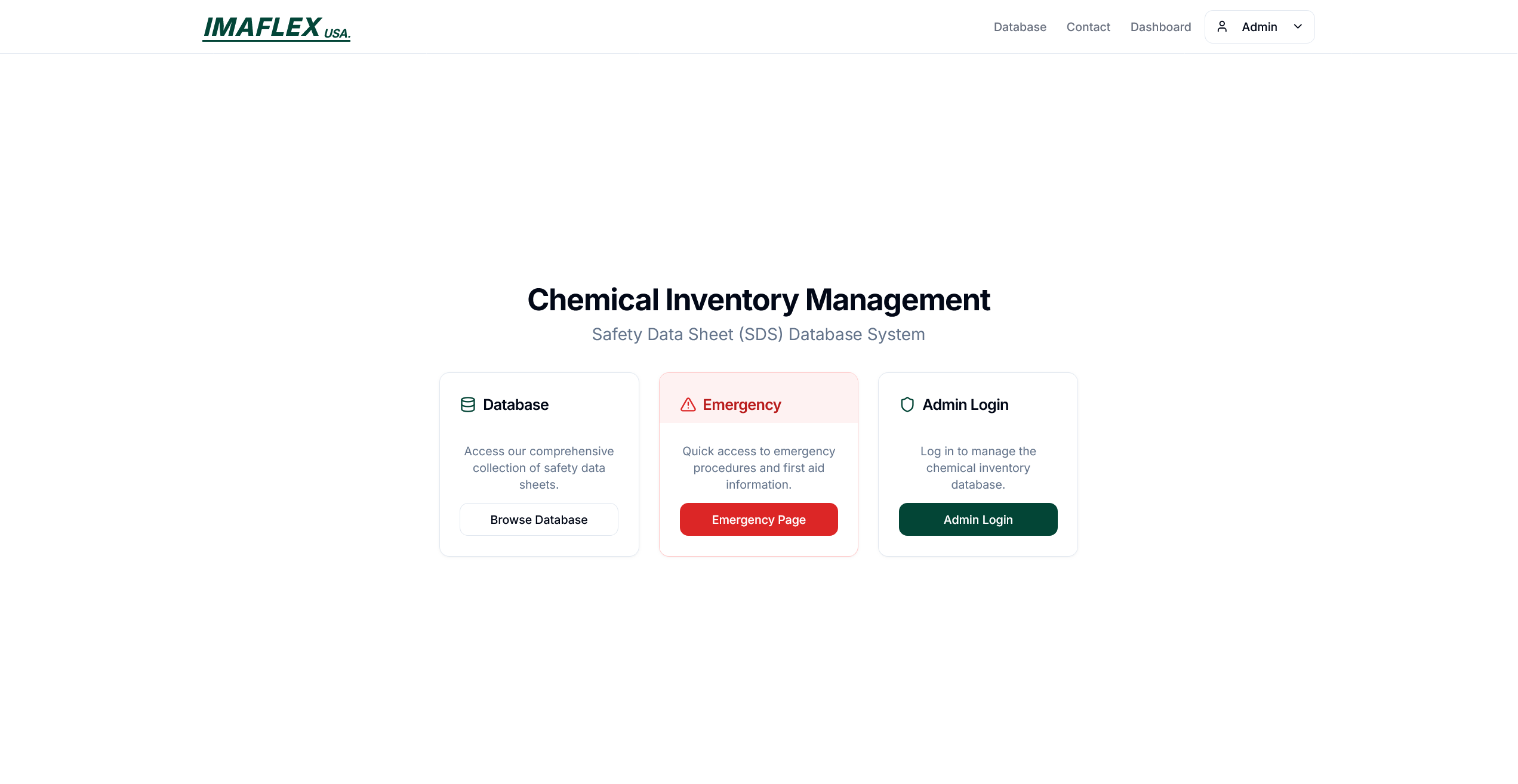
Home Page
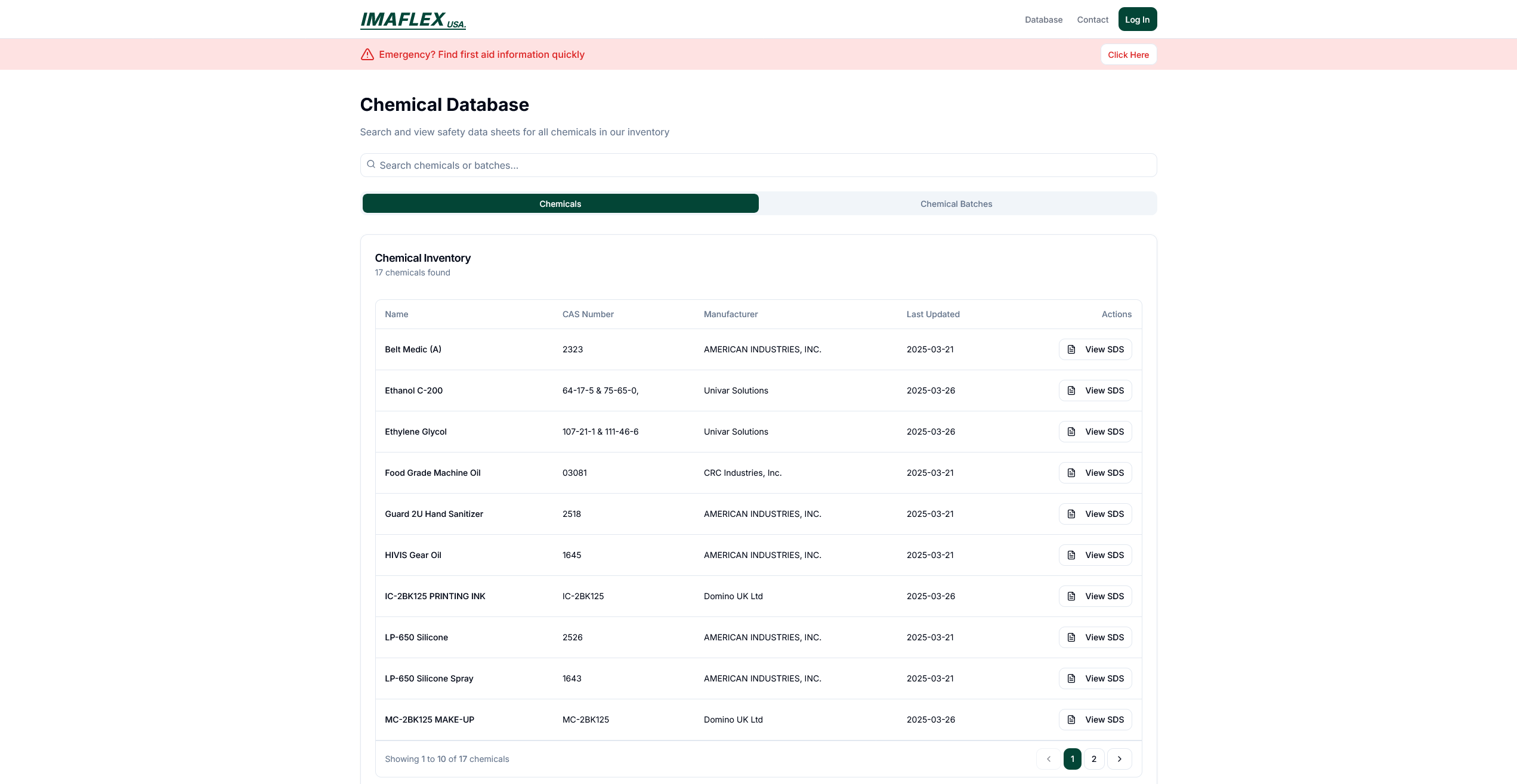
SDS Database Page
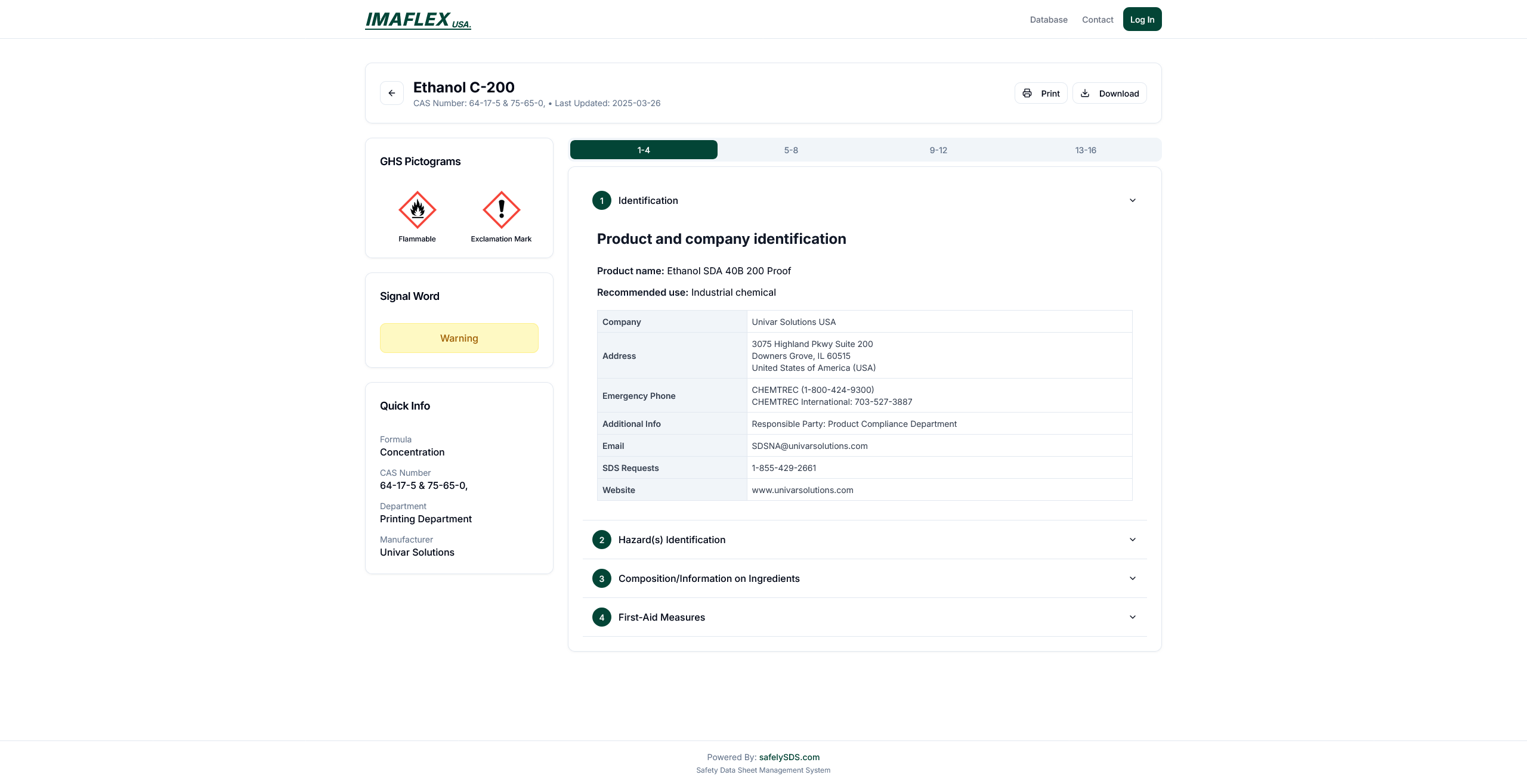
Individual SDS Page
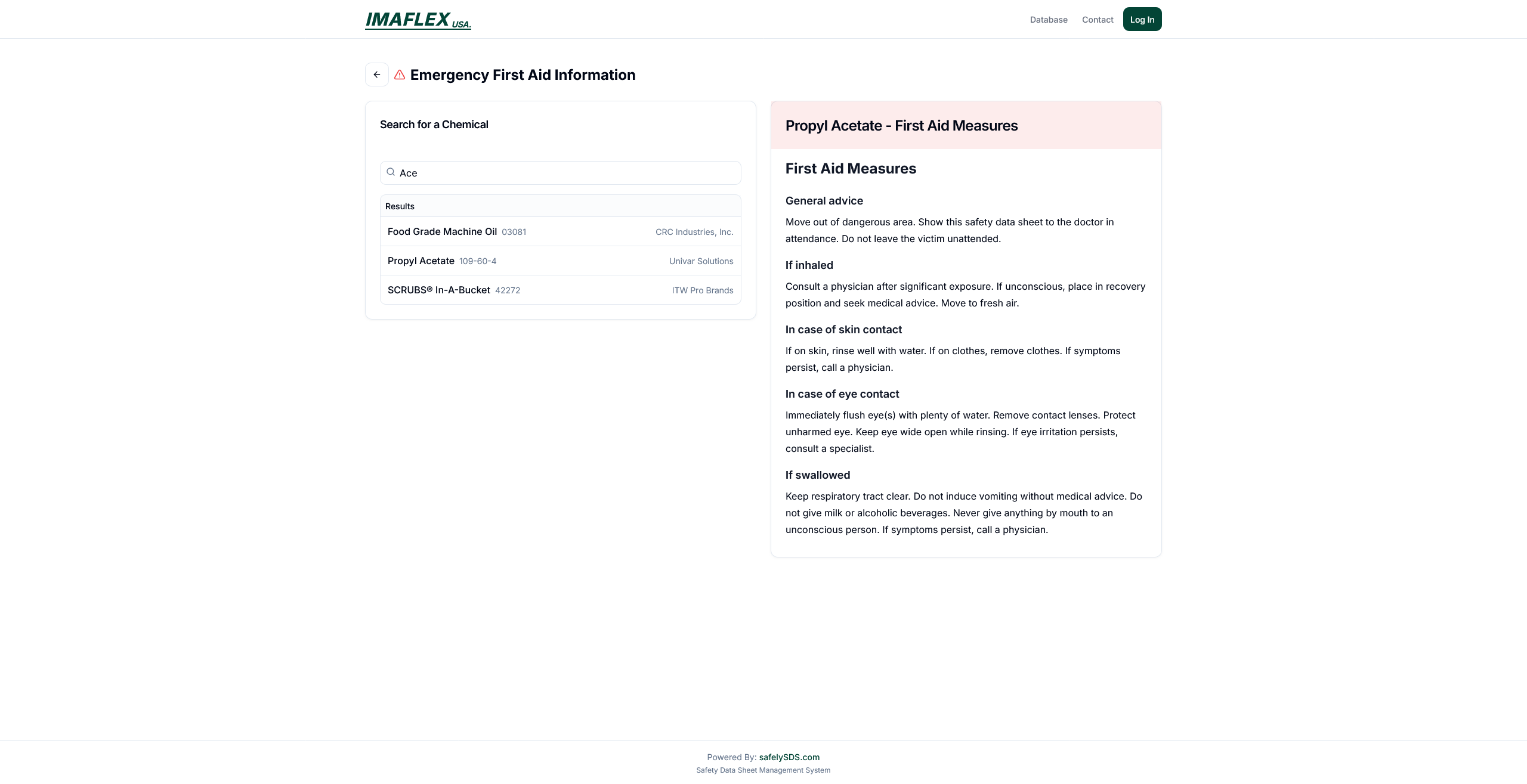
First Aid Measure Page
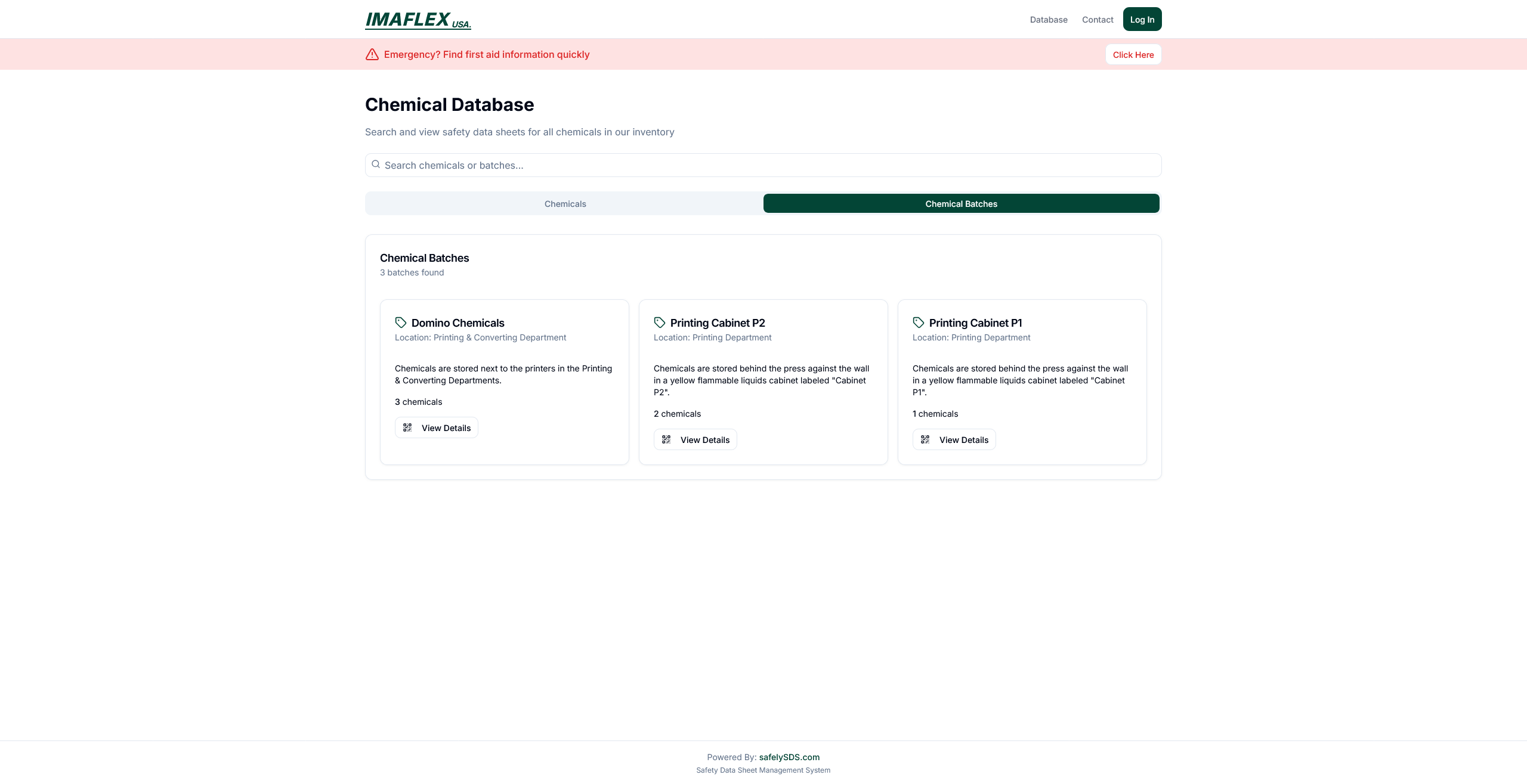
Batches Database Page
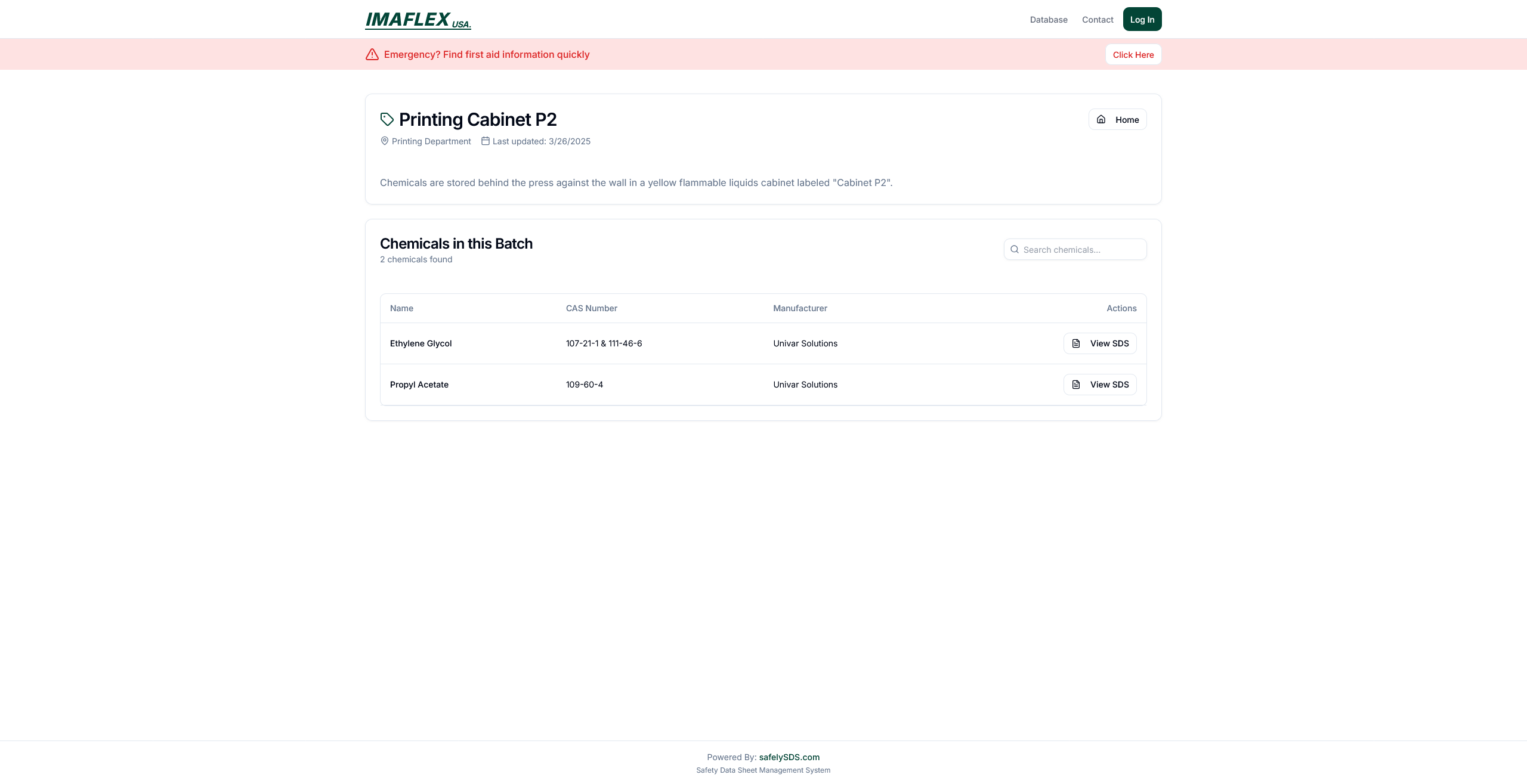
Individual Batch Page
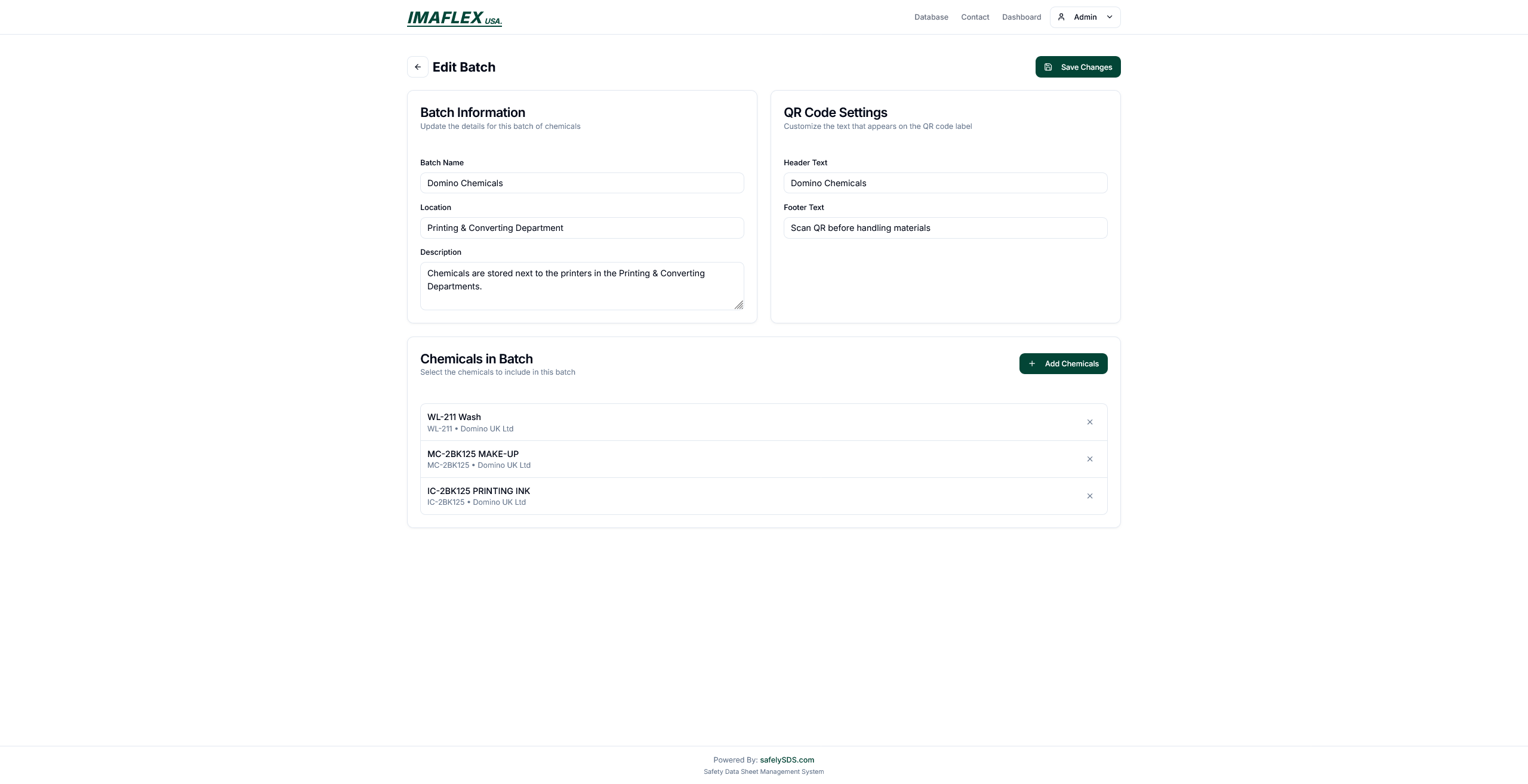
Batch Editor
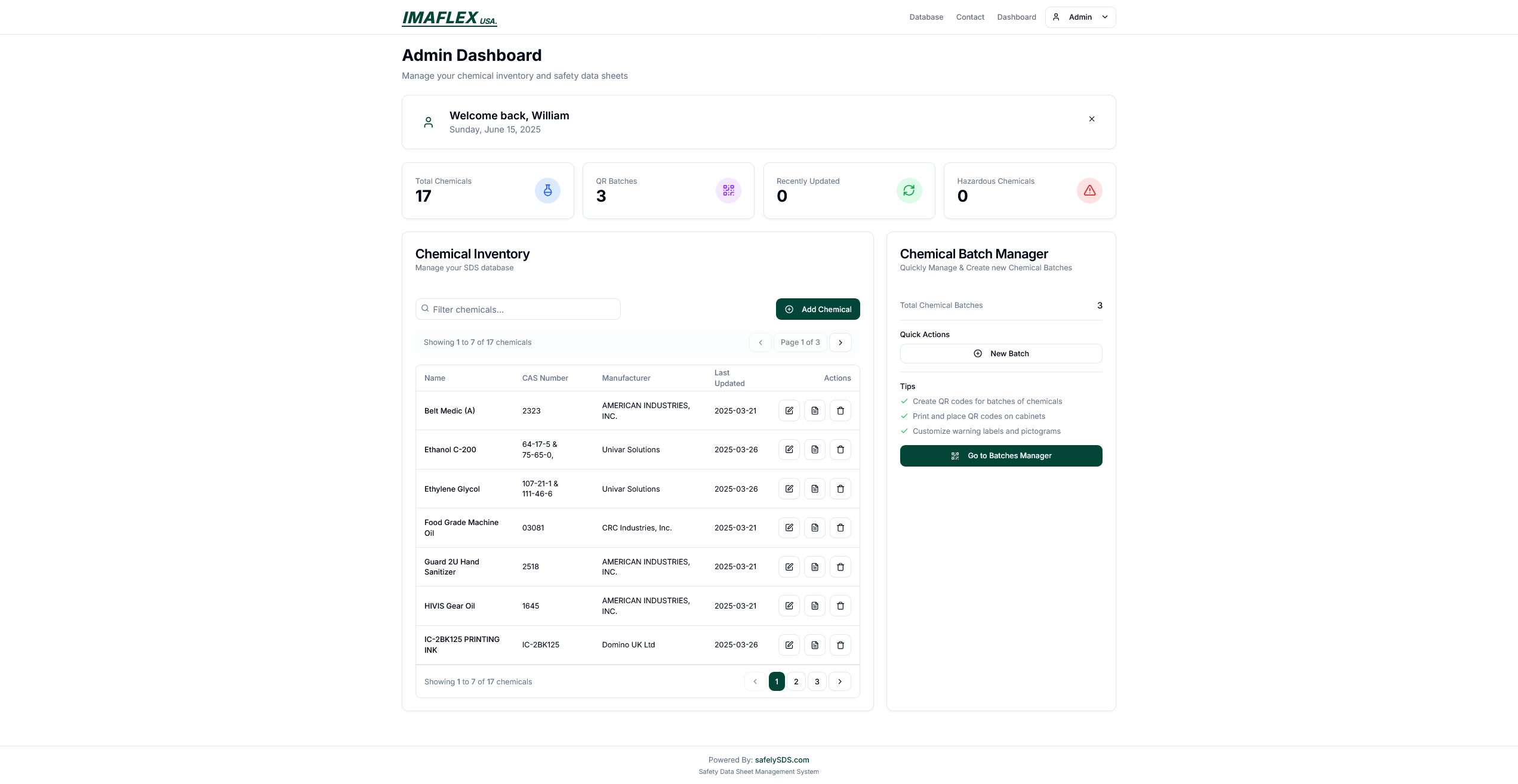
Admin Dashboard Page
Project Details
Technologies
Key Features
- Secure PDF upload and storage
- Advanced search with filters
- Responsive design
- Azure Blob integration
- Authentication and role-based access
Ready for the next project?
Explore more from this category or head back to the full project list.